
Download Bluetooth Speaker Switch Basic – Bluetooth Speaker Switch, Multi-Room Audio, Android App, Free Software, Music & Radio Tool
Overview
Bluetooth Speaker Switch Basic is a streamlined Android application designed to simplify the management of multiple Bluetooth audio devices. Developed by MarksThinkTank, the app targets users who frequently switch between Bluetooth speakers, headphones, and sound bars across different spaces. Its primary function is to allow users to redirect audio playback with a single tap, enabling a seamless multi-room listening experience. This is particularly useful for individuals seeking to create a low-cost, flexible audio setup without relying on proprietary multi-room systems. The app addresses a common pain point: the inability of standard Android Bluetooth pairing to automatically switch audio output when moving between devices. By providing an instant, manual override, it enhances usability in homes, offices, or shared living spaces. While the developer did not provide additional details about the company’s background, the app has gained recognition from Lifehacker.com, a trusted source in tech recommendations, for its simplicity and effectiveness. Real-world usage scenarios include moving from a living room speaker to a bedroom headset or switching from a sound bar to a portable speaker during a party. The app is free to download and use, making it accessible to a broad audience seeking a no-frills solution for Bluetooth audio switching.Key Features & Capabilities
- One-Tap Audio Switching – Allows users to instantly redirect music playback from one Bluetooth device to another with a single tap, minimizing delays and interruptions.
- Multi-Device Support – Compatible with A2DP Bluetooth devices, ensuring high-quality audio transmission across speakers, headphones, and sound bars.
- Seamless Room-to-Room Transitions – Enables users to move between spaces while maintaining continuous audio playback, ideal for multi-room environments.
- Minimalist Design – Focuses on core functionality without unnecessary features, reducing cognitive load and improving usability.
- Free Access – The app is available at no cost, with no in-app purchases or subscription requirements in the basic version.
User Interface, Workflow & Performance
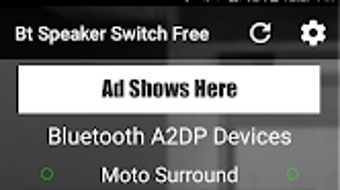
The user interface of Bluetooth Speaker Switch Basic is designed with minimalism in mind, emphasizing ease of access and clarity. The main screen displays a list of paired A2DP Bluetooth devices, with clear labels indicating the current playback source. Navigation is intuitive, requiring only a tap on the desired device to initiate audio redirection. The workflow is streamlined: users open the app, select a new output device, and audio continues playing without interruption. No additional confirmation steps are required, which enhances efficiency. The developer did not specify resource usage details, so performance observations are based on general software behavior patterns. However, given the app’s lightweight nature and focus on a single task, it is expected to operate with minimal impact on battery life and system resources. Stability is not explicitly documented, but the app’s simplicity reduces the likelihood of crashes or bugs. The interface remains responsive across different screen sizes and orientations. Overall, the app delivers a smooth user experience that aligns with its core purpose: fast, reliable switching between Bluetooth audio devices.Compatibility & System Requirements
Bluetooth Speaker Switch Basic is designed for Android devices that support A2DP Bluetooth profiles. The app is compatible with a wide range of Android versions, though specific OS requirements were not listed by the developer. Installation size is not specified, but given its focused functionality and lack of complex features, it is expected to be a lightweight application. The developer did not provide detailed hardware requirements or information about supported device models. Compatibility information is limited to the general requirement of A2DP support, which is standard on most modern Bluetooth speakers, headphones, and sound bars. Users are advised to ensure their device supports A2DP audio streaming for optimal functionality. The app does not require root access or special permissions beyond standard Bluetooth controls. Exact performance and stability data were not provided by the developer.Pros and Cons
Pros
- Simple, one-tap switching between Bluetooth audio devices
- Free to download and use with no hidden costs
- Optimized for A2DP Bluetooth devices, ensuring high-quality audio
- Minimalist interface reduces clutter and improves usability
- Recognized by Lifehacker.com for its practicality and design
Cons
- Free version lacks widgets and device renaming options
- No official support for iOS or other operating systems
- Limited to Android platform only
- Developer did not provide detailed system requirements or performance metrics
- No built-in audio equalizer or advanced audio settings
FAQ Section
Is Bluetooth Speaker Switch Basic available for iOS?
The app is currently only available for Android devices. There is no official version for iOS.
Does the app require internet access?
No, Bluetooth Speaker Switch Basic operates entirely offline. It uses local Bluetooth connections and does not require an internet connection to function.
Can I use this app with any Bluetooth speaker?
The app works with any A2DP-compatible Bluetooth speaker, headset, or sound bar. Devices that support high-quality audio streaming will deliver optimal performance.
Is the app safe to use?
Yes, the app uses standard Android Bluetooth permissions and does not collect personal data. It operates within the device’s security framework and does not require root access.
How often does the app receive updates?
Update frequency is not specified by the developer. Users are encouraged to check the app store for the latest version to ensure compatibility and security.







